
Sortify – Collection Manager
Are you facing problems with collection sorting?
Sortify keeps Shopify collections ready to sell by automating product order, recurring presets, timed changes, sales-based tags, sold-out cleanup, and performance analytics.
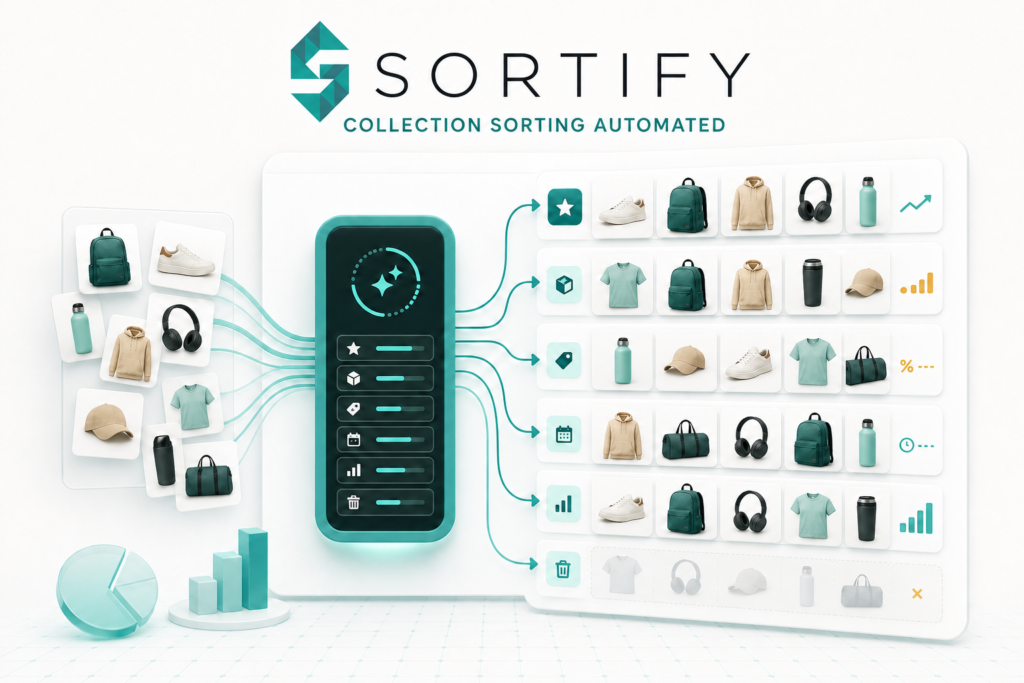
How Sortify automates
merchandising?
Advanced collection sorting
Sort by sold-out status, real-order best sellers, inventory, discount percentage, or random order.
Recurring sorting presets
Apply a rule across selected collections, run it immediately, or repeat every few minutes.
Preset management
Save sorting and timed presets, search them, select them in bulk, and import or export preset.
Timed product updates
Schedule status, tag, price, SKU, and inventory changes. Set global or per-variant values, use absolute.
Sales-triggered product tags
Check real order quantities for selected products or a collection, add any custom tag.
Auto-draft sold-out products
Preview sold-out active products and draft them immediately or after 1, 3, 7, 15, or 30 days.
Sortify
Analytics
Measure revenue, orders, and units sold for products in Sortify-managed collections.
In-app
support
Send a support request inside Sortify and attach screenshots to give the Ecomatives support.
Choose the plan that
fits your store.
Basic
-
Sort products in collections
-
Custom rules and automated sorting
-
Up to 3 rules per condition
-
3 sorting presets and 3 timed presets
-
Product Tag Condition and Auto-Draft
-
Sortify Analytics
-
Email support
-
3-day free trial
Pro
-
Sort products in collections
-
Custom rules and automated sorting
-
Unlimited rules per condition
-
Unlimited sorting & timed presets
-
Product Tag Condition and Auto-Draft
-
Sortify Analytics
-
Email support
-
3-day free trial
Data access required to operate.
1. Customer activity
Geolocation, IP address, browser, and operating system.
2. Store owner
Name, email, phone number, and physical address.
3. Products
Inventory, products, and collections.
4. Orders
All order history.
5. Other store data
Locations and price rules.
Common questions about Sortify.
01. What exactly does Sortify do?
Sortify automates Shopify collection merchandising. It sorts products, schedules recurring rules and product changes, adds tags from sales conditions, drafts sold-out products, manages reusable presets, and reports sales performance for managed collections.
02. Which collection sorting strategies are available?
Sortify supports sold-out-to-bottom, best selling from real Shopify orders, inventory most-to-least or least-to-most, discount percentage ascending or descending, and random shuffle. Compatible rules can add a secondary best-selling, price, or product-age sort, and merchants can pin selected products first.
03. How does Sortify calculate best sellers?
Best-selling order is based on real order quantities. The sorting rule can evaluate windows from the last 24 hours through 3, 7, 14, 30, or 60 days.
04. Can Sortify run collection sorting automatically?
Yes. A sorting preset can run now or repeat every 2, 3, 5, 10, 15, 30, 45, or 60 minutes. It can apply the same sorting configuration across multiple selected collections.
05. What can a timed product preset change?
Timed presets can change product status, add or remove tags, set, increase, or decrease prices, replace or modify SKUs, and set or adjust inventory at a selected location. Price, SKU, and inventory changes can also be defined per variant.
06. How do sales-based product tags work?
Choose selected products or a collection, choose an order window and minimum sold quantity, then enter a custom tag. Sortify checks real orders, adds the tag when the condition is met, and can remove that same tag after a selected number of days.
07. What happens to sold-out products?
Sortify can push sold-out items to the bottom during sorting or use the Auto-Draft engine to move active sold-out products to draft. Auto-Draft supports immediate action or delays of 1, 3, 7, 15, or 30 days and provides a preview before cleanup.
08. What does Sortify Analytics measure?
Analytics reports revenue, matching orders, and units sold for products in collections managed by Sortify sorting presets. Views are available for the last 24 hours, 3 days, or 7 days, with collection, product, and order-level performance.
09. Can presets be moved or backed up?
Yes. Sorting and timed presets can be exported individually, in a selected group, or all at once. Sortify can import its exported CSV format to recreate valid presets.
10. What is included in Basic versus Pro?
Basic includes paid Sortify workflows with up to 3 rules per condition, 3 sorting presets, and 3 timed presets. Pro provides unlimited rules plus unlimited sorting and timed presets, with priority support. Monthly and annual billing options include a 3-day trial.
11. How do I contact Sortify support?
Open Contact & Support inside Sortify. The form accepts your name, reply email, subject, message, and multiple screenshots so the Ecomatives team can investigate with context.
Built and supported by Ecomatives